Frisbee Logo
Enquiry Management

Every buyer enquiry in one place

No more chasing enquiries across emails, text messages, and old catalogues. Connect your website forms and manage every lead from one place inside Frisbee.

Every buyer enquiry in one place hero image

Capture Every Buyer Lead, Automatically

Connect your website forms to Frisbee and manage all stud enquiries in one place. Track buyer interest, set follow-up reminders, and never let a lead slip through the cracks.

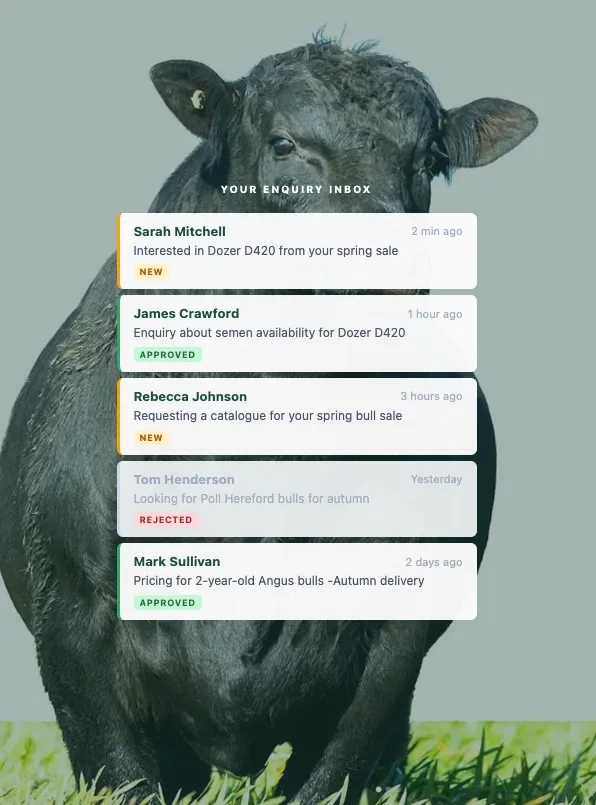
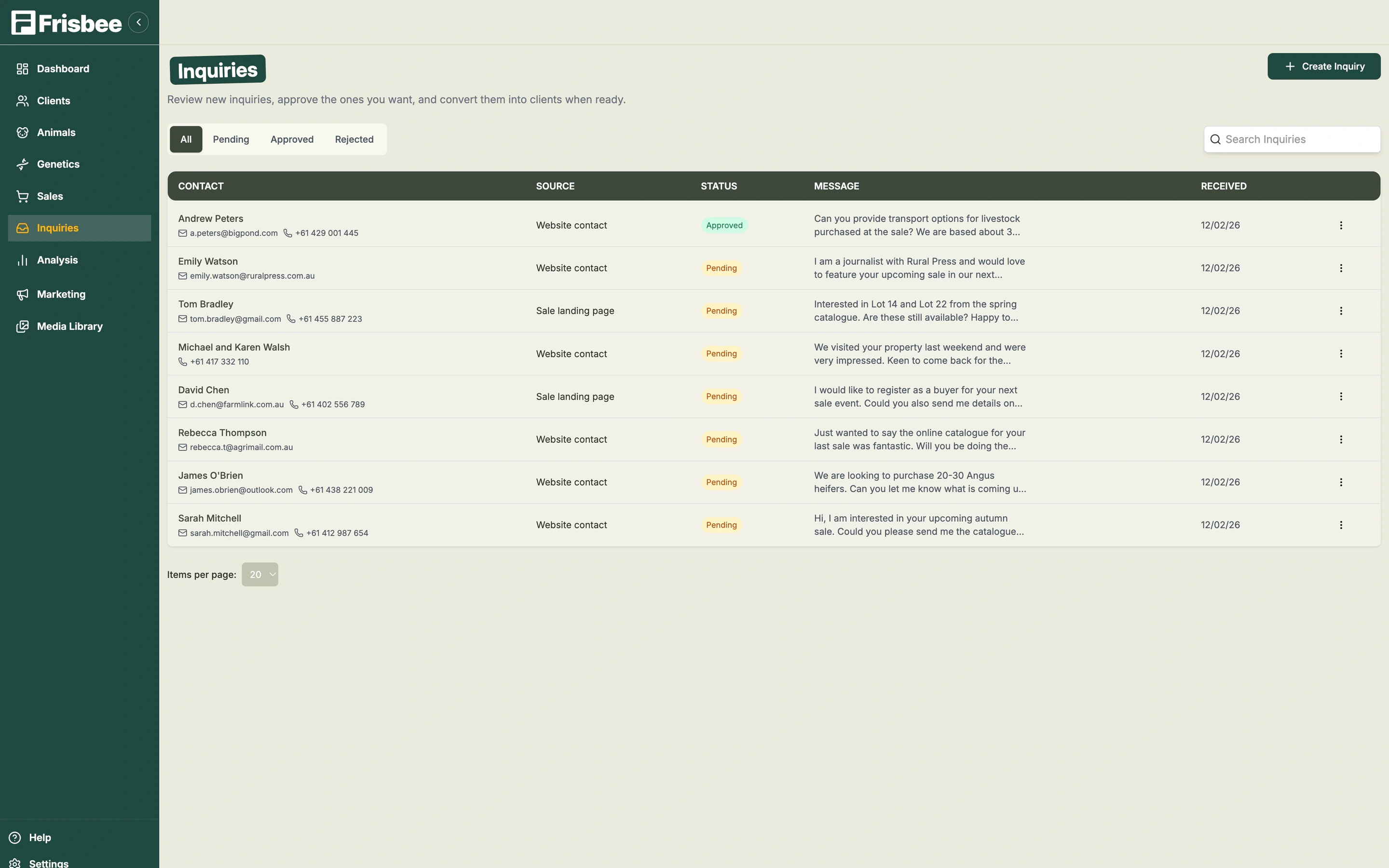
Enquiry management inbox showing buyer leads

Axis is designed for you

Everything you need to manage clients and deals—nothing you don't

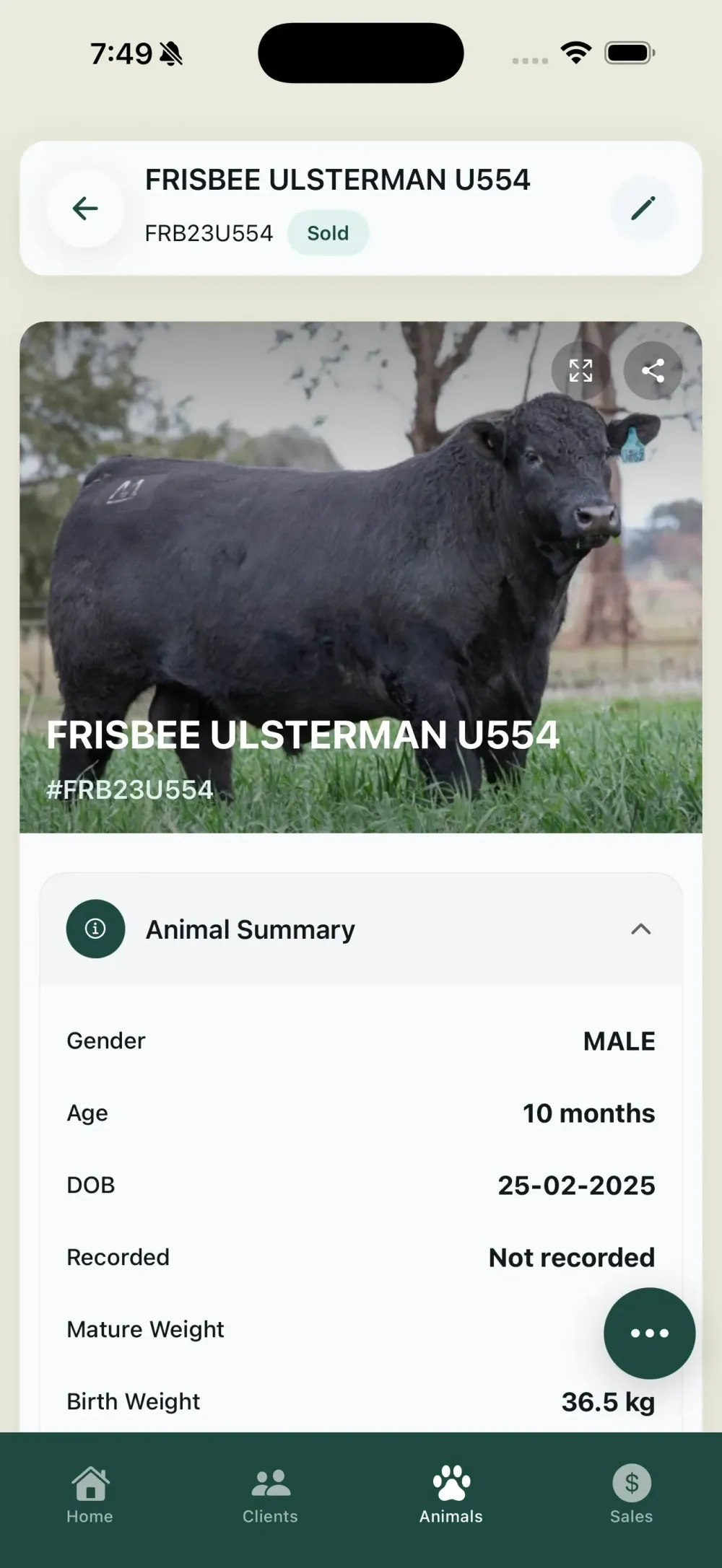
Frisbee mobile app screenshot

Axis is designed for you

Everything you need to manage clients and deals—nothing you don't

Clients, not leads

See the full history of every client: conversations, proposals, projects, and past work.

Simple deal tracking

Track proposals, retainers, and renewals without complex pipelines.

Clear next steps

Always know who to follow up with and what needs to happen next.

Built for small teams

Works just as well for solo consultants as it does for small firms.

What's in Enquiry Management

Capture every lead, respond faster, and never miss a buyer.

Centralised Inbox

Every buyer enquiry from your website, forms, and external sources lands in a single dashboard. No more checking email, text messages, social media, and voicemail separately — every lead is captured, timestamped, and visible in one view so nothing slips through the cracks.
Open API Integration

Connect any website form or external form builder to Frisbee with our open enquiry API. Whether your site runs on WordPress, Squarespace, Wix, or a custom platform, if your form can send data, it works with Frisbee. Setup is straightforward and does not require rebuilding your website.

Status Tracking

Mark enquiries as new, approved, replied, or rejected so nothing falls through the cracks. At a glance, see which leads need attention, which are being followed up, and which have been resolved. Status tracking keeps your team accountable and ensures every buyer gets a timely response.

Follow-Up Reminders

Set follow-up reminders to respond at the right time and convert more leads into sales. Buyers who enquire about your stock expect a prompt reply — research consistently shows that faster response times lead to higher conversion rates. Reminders ensure no enquiry sits unanswered for days.

Client Linking

Link enquiries to existing client profiles or create new contacts automatically on arrival. When a known buyer submits an enquiry, Frisbee matches it to their existing profile so you can see their full history. New enquirers are automatically added to your client database, growing your marketable contact list.

Enquiry Analytics

Track enquiry volume, response times, and conversion rates to improve your sales process. Understand where your enquiries come from, which animals or sales generate the most interest, and how quickly your team is responding. Use this data to identify bottlenecks and optimise your lead-to-sale pipeline.

HOW IT WORKS

From Website Form to Sale

Connect Your Website Forms

Connect Your Website Forms

Frisbee’s enquiry API connects to your existing website forms or any external form builder. If your form can send data, it works with Frisbee — no rebuilding your site required. Set up takes minutes and works with any platform including WordPress, Squarespace, Wix, or custom-built sites. You can also connect forms from third-party listing platforms or social media landing pages to capture leads from every channel.

Enquiries Land in Your Dashboard

Enquiries Land in Your Dashboard

When a buyer fills out a form on your website — whether it is about a sire, a sale lot, or your breeding program — it lands directly in your Frisbee dashboard. No more digging through email inboxes, checking text messages, or searching through notebooks for that buyer’s details. Each enquiry is tagged with the source, the animal or sale it relates to, and the buyer’s contact information for immediate follow-up.

Manage and Follow Up

Manage and Follow Up

See all your enquiries in one view. Track who is interested in what, update statuses from new to approved, set follow-up reminders, and link enquiries to client profiles. Never let a potential buyer slip through the cracks again — respond faster and convert more leads into confirmed sales. The studs that respond to enquiries within hours rather than days consistently close more sales and build stronger buyer relationships.

Enquiry Management FAQs.

Common questions about managing buyer enquiries for livestock studs.

  • 01How do livestock studs manage buyer enquiries?+

    Livestock studs manage buyer enquiries by centralising all website form submissions, email leads, and phone enquiry notes into a single inbox. Frisbee’s enquiry management captures leads from any website form via an open API, tracks their status from new to approved, and links them to client profiles so nothing is lost.

  • 02Can I connect my existing website forms to Frisbee?+

    Yes. Frisbee provides an open API that connects to any website form or external form builder — WordPress, Squarespace, Wix, or custom-built sites. If your form can send data, it works with Frisbee. Setup takes minutes and no website rebuilding is required.

  • 03What happens when a buyer submits an enquiry on my website?+

    When a buyer fills out a form on your website, the enquiry lands directly in your Frisbee dashboard in real time. You can see the buyer’s details, which animal or sale they enquired about, and respond immediately. Follow-up reminders ensure you never miss a lead.

  • 04How does enquiry tracking help sell more livestock?+

    Enquiry tracking helps sell more livestock by ensuring every buyer lead gets a timely response. Studs that respond faster convert more leads into sales. Frisbee tracks enquiry volume, response times, and conversion rates so you can measure and improve your sales process.

  • 05How does the Frisbee enquiry API work with my website?+

    Frisbee provides a simple API endpoint that your website forms can send data to. When a buyer submits a form, the data is posted to Frisbee and appears in your dashboard immediately. Most web developers or website builders can set this up in under an hour. We provide documentation and code examples for all major platforms, and our support team can assist with the technical setup if needed.

  • 06Can I track which animals or sales generate the most enquiries?+

    Yes. Frisbee’s enquiry analytics show you exactly which animals, sire groups, and sales generate the most buyer interest. This data is valuable for understanding market demand — if a particular sire’s progeny consistently attracts enquiries, that informs your breeding and marketing decisions. You can also see seasonal trends in enquiry volume to plan your promotion timing.

  • 07How does fast enquiry response time affect livestock sales?+

    Fast response times have a direct impact on conversion rates. Buyers who receive a prompt, professional reply are far more likely to proceed with a purchase than those left waiting for days. In a competitive market where buyers are contacting multiple studs, the first stud to respond with relevant information often wins the sale. Frisbee’s follow-up reminders and mobile access ensure you can respond quickly even when you are away from the office.

  • 08Can multiple team members manage enquiries in Frisbee?+

    Yes. Your entire team can access the enquiry dashboard with role-based permissions. Assign enquiries to specific team members, track who is handling what, and ensure no lead goes unanswered. This is particularly useful for larger operations or studs working closely with stock agents — everyone can see the current status of every enquiry without duplicating effort or dropping the ball.

  • 09Does Frisbee automatically create client profiles from enquiries?+

    Yes. When a new buyer submits an enquiry through your website, Frisbee automatically creates a client profile with their contact details and the enquiry information. If the buyer already exists in your database, the enquiry is linked to their existing profile. This means every enquiry grows your client database and feeds into your marketing and relationship management workflows without any manual data entry.